
How to Log In and Edit Your Subscription
Need to make changes your Sweet Maria’s subscription? The guide below will show you how. Subscriptions can be paused, canceled or edited.
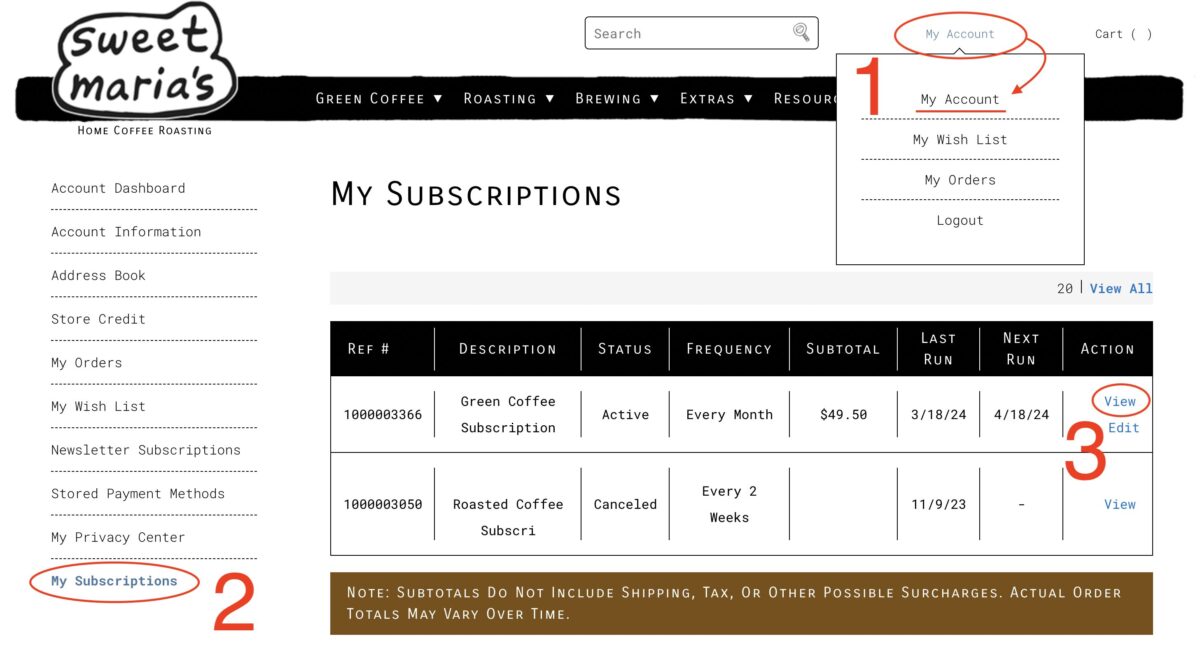
Begin by logging into your account on Sweet Maria’s. Next, navigate to “My Subscriptions” on the left sidebar. On the screen, choose “View” for the subscription that you wish to Edit, Pause or Cancel.
Editing, Pausing, or Canceling
On the next screen, you can choose to Edit, Pause, or Cancel your subscription by clicking on the appropriate link.
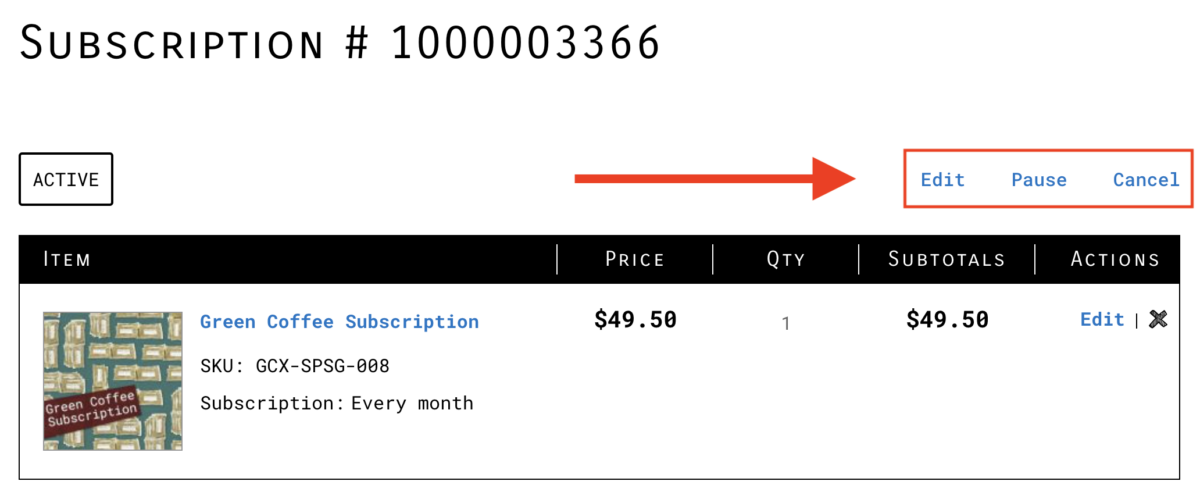
If you choose Pause or Cancel, the status of your subscription will change from “Active” to “Paused” or “Canceled”. The status will be reflected on your My Subscriptions page. If you choose Edit, you can change your payment method or the shipping address for your subscription.
Important Notes
Although pausing or canceling your subscription will halt all future billings, it has no effect on pending orders or orders that have already been filled and are awaiting shipment.
Other Issues or Need More Help
If you’re having other issues or simply need more help, our customer service team is here for you. Send us an email at [email protected] and we’ll be happy to help you out.
Related Posts: