

The basics of how to navigate & use our new website
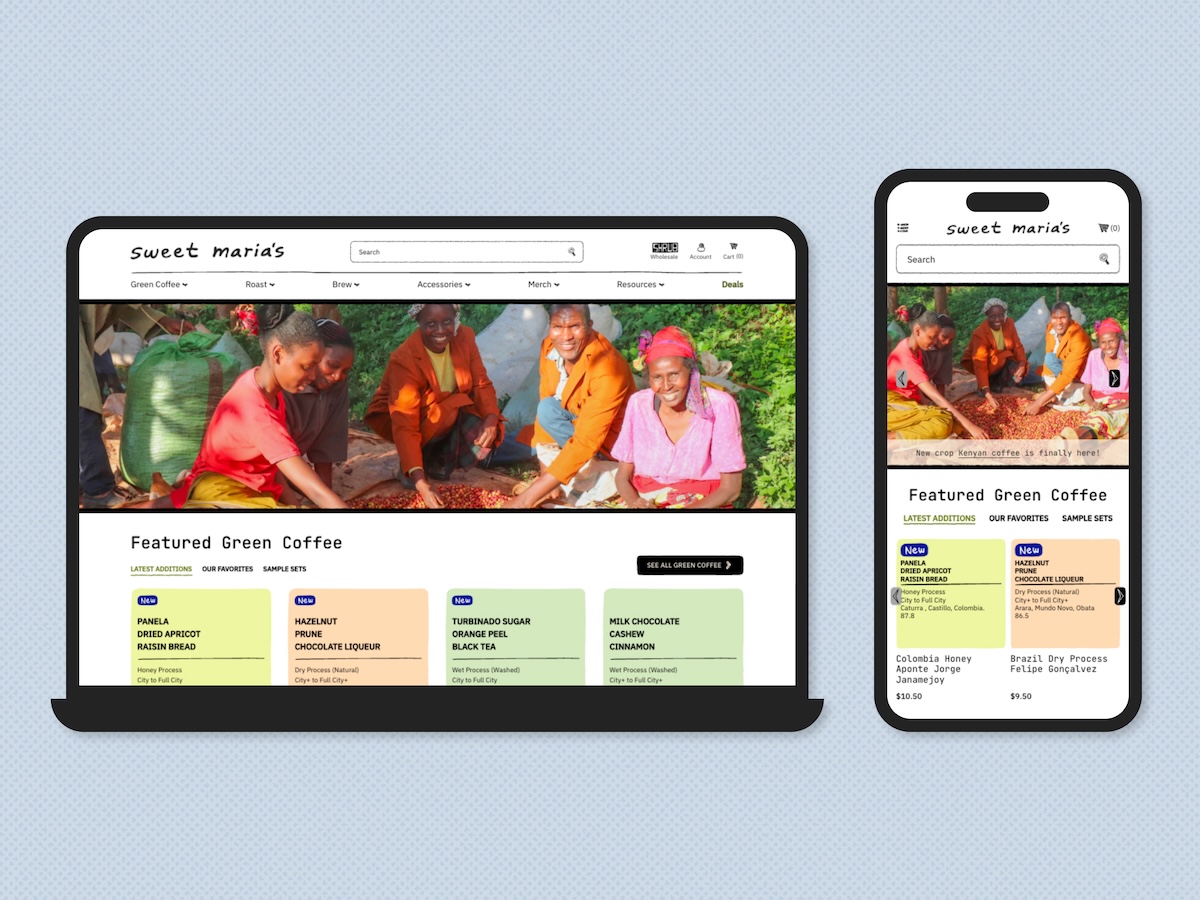
How are you liking our new website? We’re excited to finally be able to roll it out after months of hard work and keeping it under wraps. As we mentioned in our announcement, we wanted to make sure that the new site was easier to use and to address feedback we’ve received over the years. The store is now powered by Shopify, which offers a more modern experience overall, from logging in to checking out. It’s a completely new system that we’re hoping makes your next visit to Sweet Maria’s and Coffee Shrub smoother.
We get it: change is hard! That’s why we prepared this guide to provide you with all of the tools to navigate, use and make the most of our new store. Interacting with the site for the first time might require a few more steps than usual, but we promise that it’ll go far in making your experience easier in the future.
For Coffee Shrub customers, scroll down for more information specific to our Wholesale side.
Accessing your account
Do I need to sign up for an account?
If you have an existing Sweet Maria’s account, you do not need to sign up for an account. If you are a new customer, follow the same steps for signing in.
Despite having an existing account, you may need to enter new information, such as your shipping address or payment method. You will have the option to save this information to your account to avoid having to reenter it in the future.
How do I sign in?
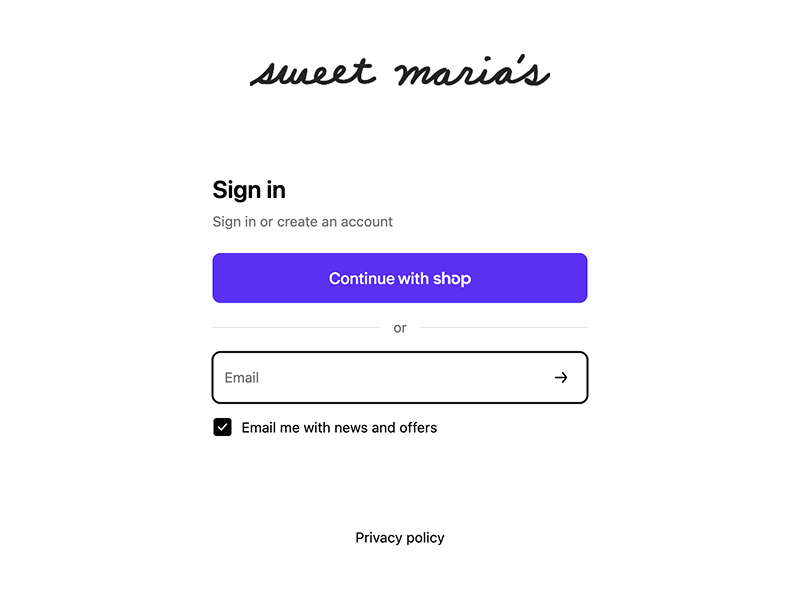
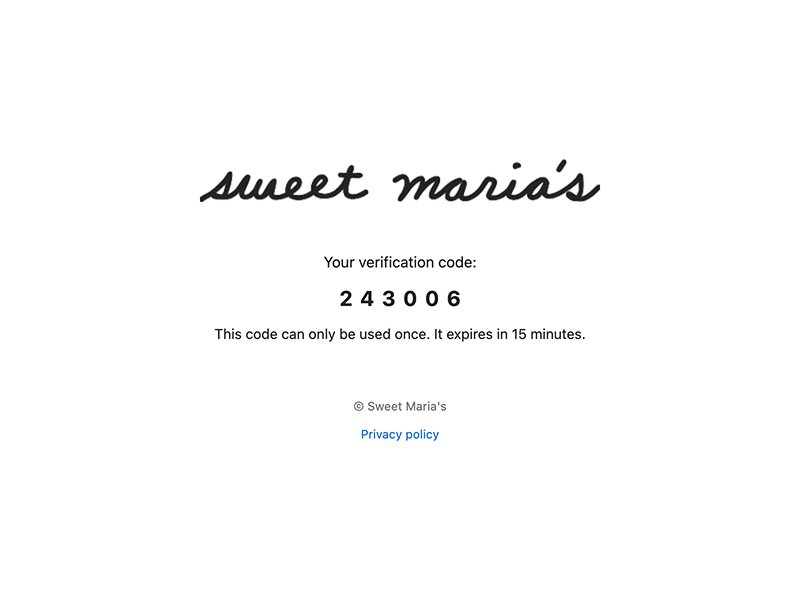
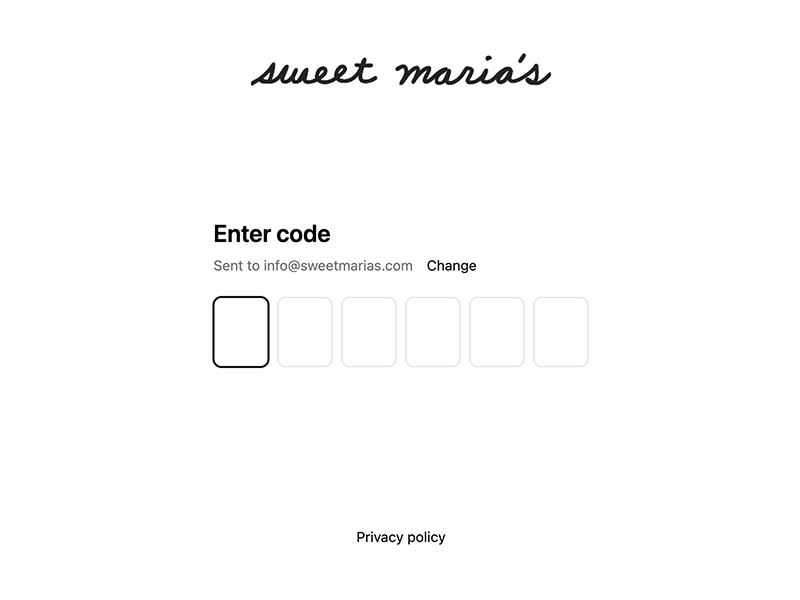
Once you’re on our website, navigate to the menu. Click on the “Log In” link or icon and follow the steps to log in. You can log in using your email (see image 1). Our new site does not use passwords, so you’ll be prompted to enter a six digit code (image 3). You will receive this six digit code via email (image 2). Once it has been entered, you’ll be taken back to the homepage, with the “Log In” link or icon now reading “Account.”
Can I see my previous orders?
We carried over some order information, but it has been simplified. If you need information on a specific order, we recommend going through past confirmation emails from us or reaching out to our customer service team via email at [email protected]. We’ll do our best to help!
Checking Out & Placing An Order
How to check out
Add items to your cart. You’ll have the option to navigate to your cart or head directly to check out. Navigating to your cart will allow you to change or review items. To head to check out from your cart, click “Proceed to Check Out.”
You will end up on our check out page, where you can select your delivery method, provide required information, and enter your desired payment method. Click “Pay Now” to finishSimilar to aftertaste, but it refers to the impression as the coffee leaves the palate. Aftertaste is the sensations gathered after the coffee has left the mouth. We... ...more your order transaction.
How to place a pick up order
Add your items into your cart and head to check out. If you’re logged in, the first option that will appear at the top of the page is a choice between “Ship” or “Pickup.” Select “Pickup,” and it should display our office and warehouse address right below (see image below).
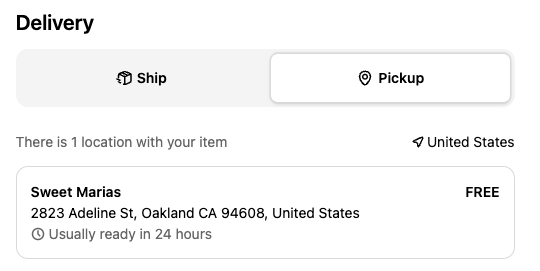
Add your payment and/or billing information into the required fields, choose whether or not to save your information for checkout, and click “Pay Now.”
You’ll receive a confirmation email if your payment goes through, and we will follow up with another email once your order is ready for pick up at our retail space.
Choosing your shipping method
Our shipping options remain the same as our previous website’s. Under delivery options, click “Ship” and two rows below it should appear: “Ship to” and “Shipping.”
If you don’t have a saved shipping address, it will prompt you to add your shipping address. If you have saved addresses, click into “Ship to” and you will have the option to choose which of your saved addresses you want to ship your order to.
The following row, “Shipping,” will have different shipping courier and service options to choose from. As usual, our shipping specials apply! Save on your order by choosing the applicable shipping special. You can review that information in our Shipping Policies page.
Payment methods
You can still pay via credit card and PayPal.
Coffee Shrub
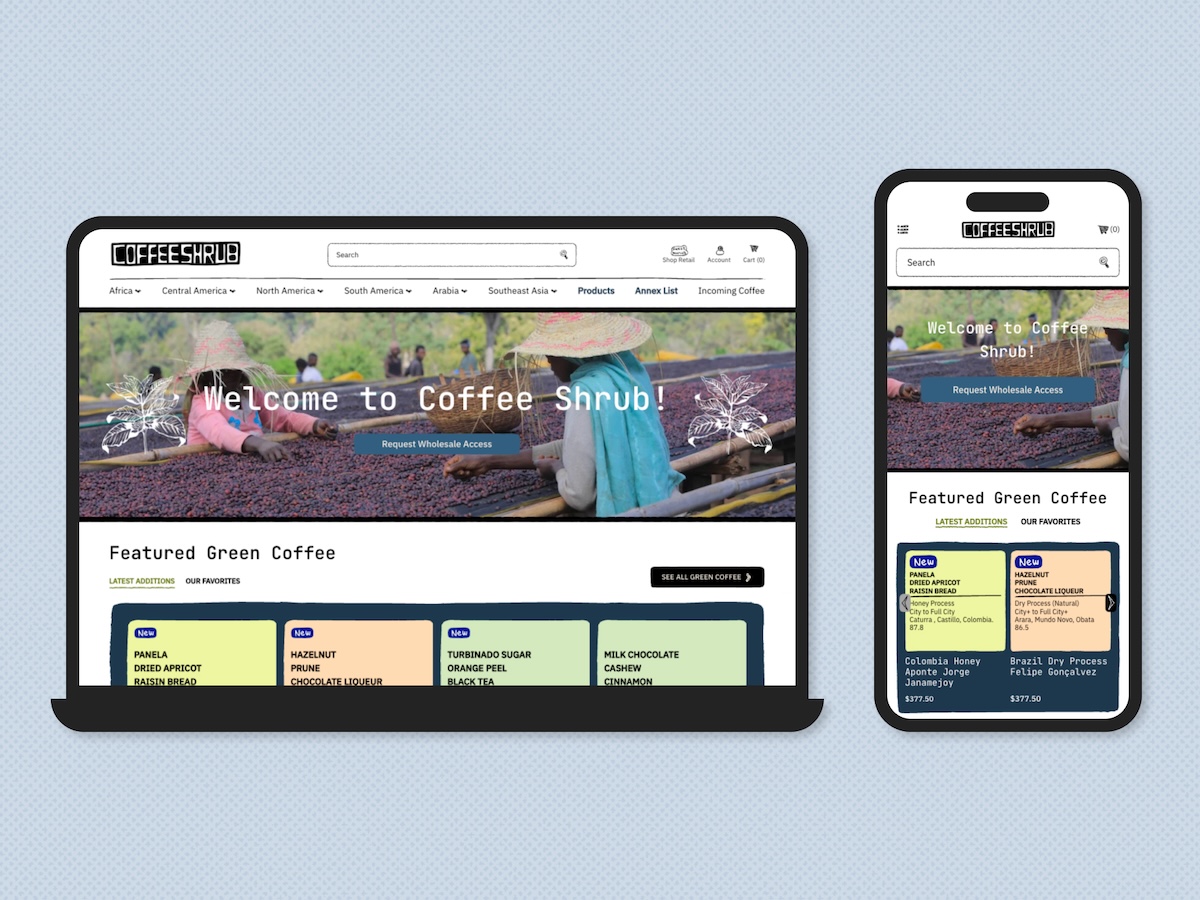
Merging Sweet Maria’s and Coffee Shrub
Sweet Maria’s and Coffee Shrub have merged into one platform, with that being our new store! Think of Coffee Shrub as an extra catalog businesses can “unlock” on top of Sweet Maria’s. Once you have approval to access both catalogs, you can shop items from Sweet Maria’s and Coffee Shrub, and check out all in one go.
An approved business account is required for purchase on Coffee Shrub. There is no guest check out. Read onwards on how to access Coffee Shrub products and pricing.
How to access Coffee Shrub
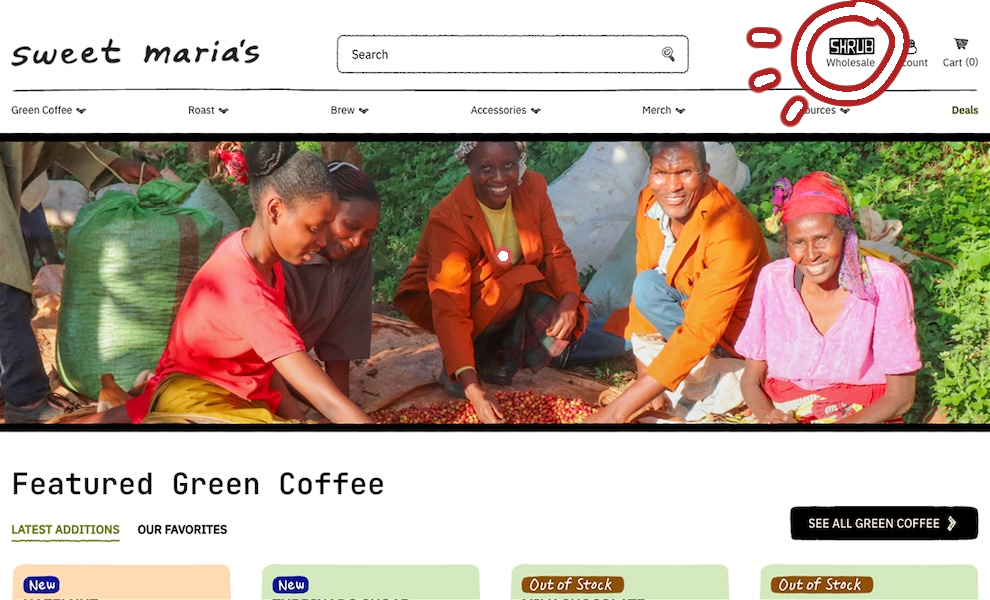
The Coffee Shrub homepage can still be accessed at the existing URL, coffeeshrub.com. Otherwise, you can head to sweetmarias.com, navigate to the menu and click on the “Wholesale” link or icon (the Shrub logo, pictured below). This will take you to the new Coffee Shrub homepage, which has its own menu and featured content.
Accessing your account
If you have an existing Coffee Shrub account with a related business, you do not need to sign up for an account. You will also be pre-approved for Coffee Shrub access. Besides setting up your account on your next order, you do not need to take any actions towards requesting access.
To confirm you have access to Coffee Shrub, log into your existing account. Navigate to the Coffee Shrub homepage and attempt to add products to your cart. If you’re unable to add products to you cart, it is likely that your account is not registered with a business on our end.
For Sweet Maria’s customers or non-existing customers, you will need to request access to unlock wholesale options and pricing. Please note that Coffee Shrub is for businesses, not individuals.
You can request access (see instructions below) or contact our team via email at [email protected] with more information about your account and business.
How do I request access to the Coffee Shrub catalog?
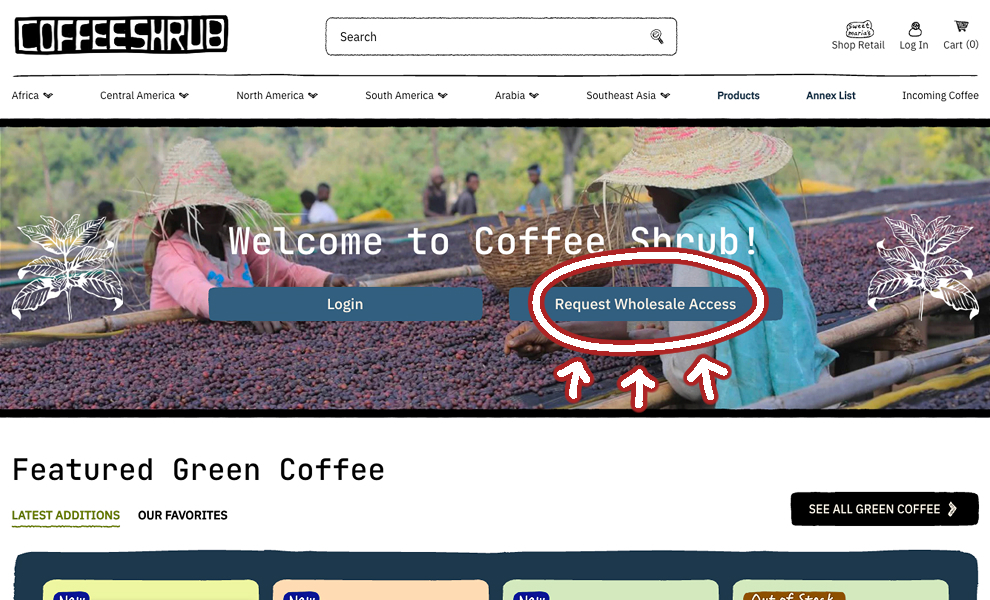
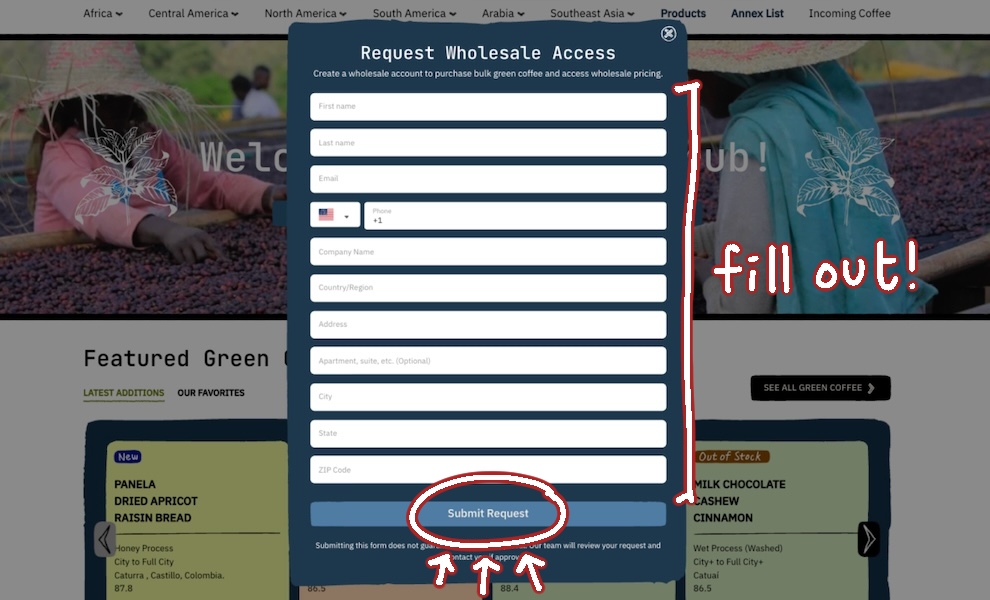
On the Coffee Shrub homepage, the first slide will have two options: “Login” and “Request Wholesale Access.” These options disappear as you log into your account and gain access to the Coffee Shrub catalog.
Click on “Request Wholesale Access” to begin the process of requesting access to Coffee Shrub. Fill out the form, and click “Submit Request” to finish. Our team reviews these requests on a rolling basis. Once your account has been approved and updated to have access, we will send you a notification email.
If you ever want to follow up on a request, please send us an email at [email protected].
For any questions on the new site, send us an email at [email protected]. We hope you enjoy using the new website!
12 Responses
Great site makeover; hard work for sure! Quicker to navigate and find the beans you love (Brazil!). And thanks for supporting that crazy guy who builds those wobble disk roasters.
It is giving me headaches. Very hard to navigate with items either too small to read or too large to read when trying to look into Green Beans from different countries. Momentairly a better view was going to PDF Print and then canceling the PDF and a slightly better display. And it does not play well with a VPN (NordVPN).
A couple comments on Sweet Maria’s comments about the new website:
“The store is now powered by Shopify, which offers a more modern experience overall.”
If it is not easily usable who gives a crap about “modern?”
“It’s a completely new system that we’re hoping makes your next visit to Sweet Maria’s and Coffee Shrub smoother.”
It is a rough going. Hardly smooth.
When I click on Green Coffee from the Coffee List, I don’t see Yemen anywhere. “Collections” have huge graphics but the countries are in random orders which isn’t very helpful.
Ok we hear you- Ill check the function with a VPN. Are you on Chrome? other browser?
Visually, the new website is nice, but I find it more difficult to navigate through green coffee options. In particular, if I’m browsing through selections from a region and click to view one, when I’m finished viewing, clicking the back arrow sends me back to the top of the section. Then I have to scroll through all the selections I’ve already seen to get back to where I was. This is frustrating to keep having to go back to the top every time I’ve viewed a selection. In your previous website clicking back would take you back to where you were in the list.
I know what you mean – I have that on a site I use with very long lists of auctions (not ebay). We can investigate this. There are 2 product view options: Quick View and a full product page view. Quick View might not be intuitive to access though – you click on the Cart button, like in this List view of all green coffees: https://www.sweetmarias.com/collections/green-coffee?filter.v.availability=1&view_as=list
And it opens the small pop up, which doesnt lose your place on the main page. Of course it doesnt have full info though so might not meet your needs…
Is the color of the square indicative of something on the green coffee section of the site?
I couldn’t figure out if it was indicative of stock level, suggested roast, or purely cosmetic. It feels like this may be an unintuitive feature (or at least unintuitive to me).
Liking the redesign overall!
Hi Adrian, glad you’re liking it so far! Yes, it’s indicative of the coffee’s processing method. Green is washed, orange is dry process. There’s a few more that might be more uncommon, and we’ll explore that in a separate post coming this week.
I like the new format and the short 3-word taste notes on each coffee square. I also like that customers can write reviews. I didn’t know what the colors signified but you answered that question. Maybe a color key would be nice? I don’t like that I no longer have the option to print a pdf containing the coffee overview, taste notes, flavor wheels, and coffee score. I have friends who like printing those and filing them in a notebook for easy reference when roasting. One feature that I would like to see is the ability to print a label similar to the labels on your bags of green coffee. Or you can give the option of sending labels for each coffee for a small fee. I try to peel those off and use them on my storage containers, except they don’t peel off your new sealed bags all that well. All in all the changes are nice.
Hi Todd! Thanks for your comment. Color key is on the new post here. Hopefully folks can get used to it as time goes on and it becomes intuitive.
The option to print will still be available, but it’s definitely an issue we’re still trying to resolve. Hopefully you’ll see that resolution implemented across the new site as soon as this week!
I am wondering how to access “Wish List” on my account-a feature I have always used in between orders….
Hi John – i don’t think shopify platform supports wishlist feature but let me look into this a bit deeper to see…
Very confusing site now. I can see that we are NEVER supposed to use the back button. just go up to the menu every time. That’s one of the worst features of “modern” websites.
The cards have too little info and you have to click on each one anyway. Not as pretty without all the pictures. Also a problem with “modern” sites. things flipping in and jumping around as you move the mouse over them. Nothing should happen until I click.
And I second the desire for the wish list. I had things on it and now have lost them.
I think overall, the previous site was much better looking and easy to use.